
Keyball
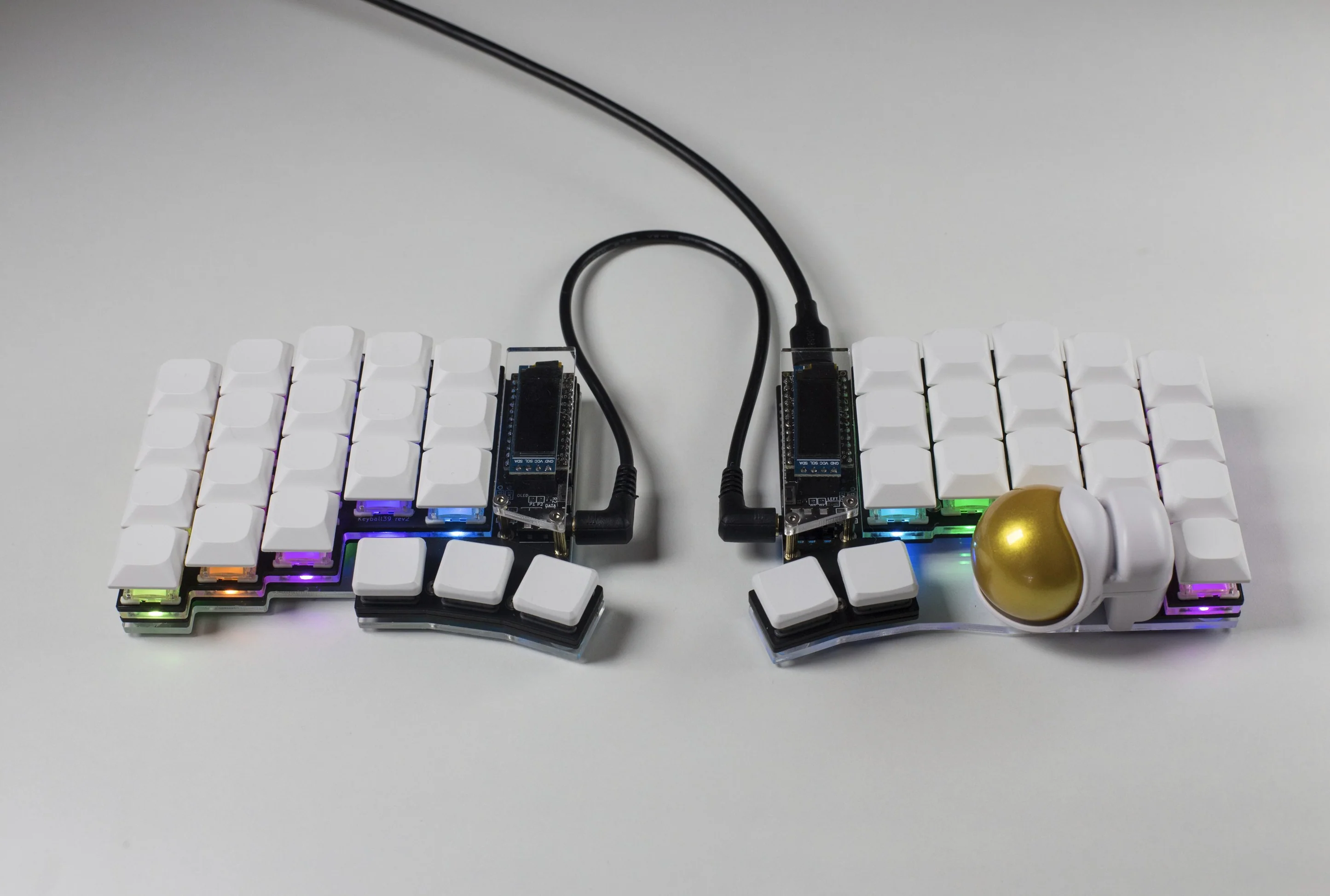
Keyball is a family of keyboards that feature a 34mm thumb trackball with the widely used PMW3360 sensor. In partnership with Yowkees of Shirogane Lab, the creator of this wonderful integrated trackball design, we're happy to bring Keyball to a wider audience.
The trackball sits in an injected molded housing with 3 ceramic bearings. The ball slides snuggly into the housing and moves smoothly in all directions thanks to the bearings.
Before you buy
The Keyball lineup stands out in a few ways worth knowing before you buy.
First, it's worth noting that our Keyball differ from the one sold by Yushakobo / Shirogane Lab. In terms of cosmetics, we use black PCBs, different thickness acrylic plates and different M2 screws. Additionally, we use RP2040 controllers with ample storage so firmware size is not an issue. The rest is identical.
34mm Trackball
Keyball uses a 34mm trackball that's not included in your purchase. There are many color options to choose from, and the ones made by Perixx are a popular choice.
Thumb Cluster
Keyball has a unique thumb cluster that allows either Kailh's choc low profile or MX switches. Whether you're buying a kit or a prebuilt one, you will get choc hotswap sockets. This option lets you also add choc switches and keycaps to your order.
Build Guide
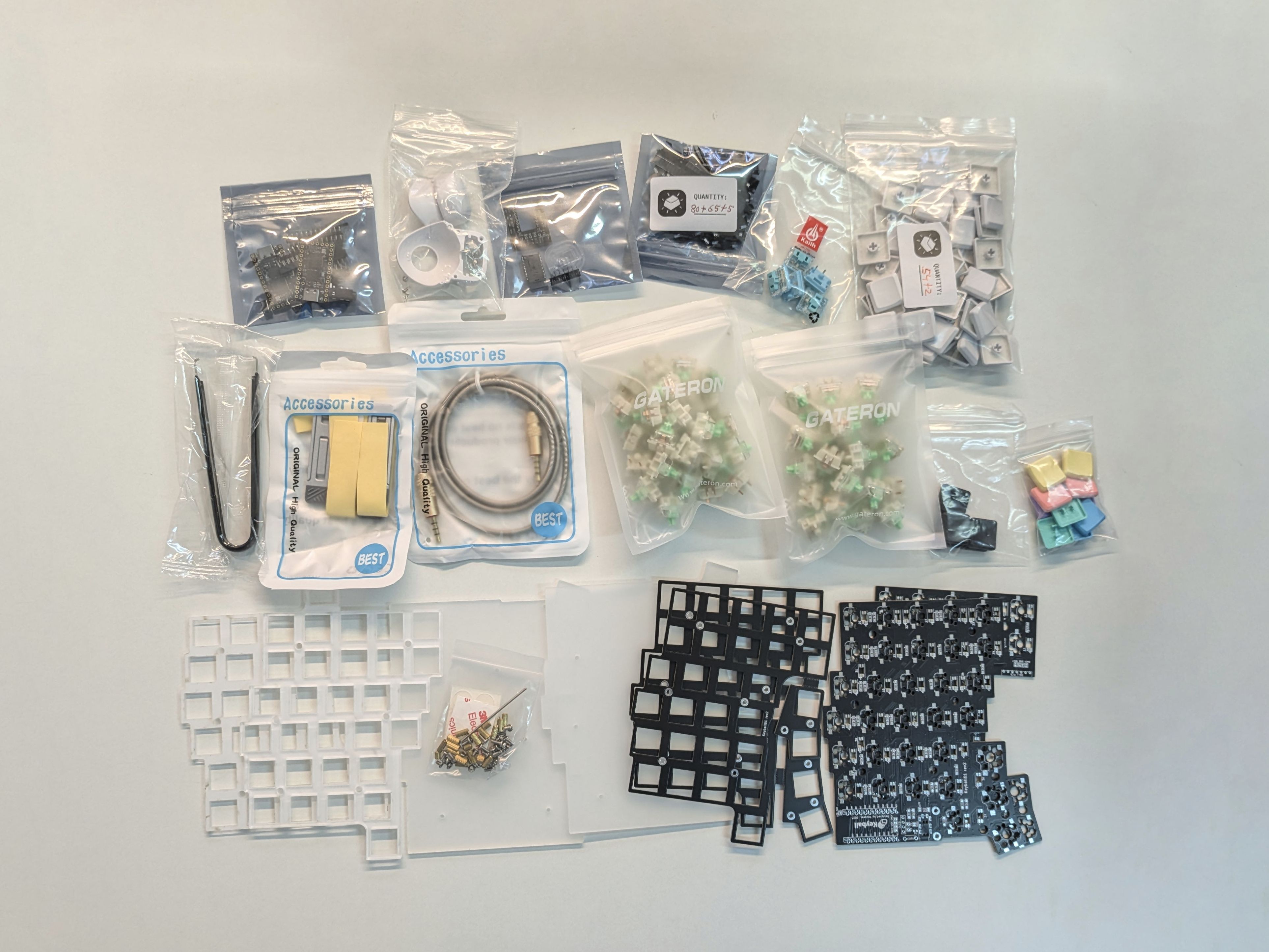
Please refer to the canonical Keyball guide below:
Come back to this page when you're at the firmware step, as it differs from the guide above.
For build help that's not specific to Keyball, you're welcome to visit the Keyboard guide in these docs.
Firmware
Every holykeebs Keyball runs the holykeebs userspace firmware, the same one our other pointing device keyboards use, with RP2040 controllers, QMK's native PMW3360 driver, per-key RGB Matrix and the HK_* keycodes described on the Firmware page. The boards live in the holykeebs repository, and it's recommended to use the precompiled firmware, which is configured with the Vial app.
On the Keyball 39, 44 and 61 one image covers every trackball configuration: the firmware detects at boot which halves carry a ball and updates the "Ball availability" layout in Vial to match, so the thumb keys under a ball disappear from the editor. The Keyball61+ detects its hand from the sensor instead, so its trackball must be on the right half.
DANGER
Avoid connecting / disconnecting the TRRS cable when the keyboard is powered. This can short the GPIO pins of the controllers.
If you'd like to compile your own firmware, see the Firmware page on setting up the environment.
Once you have your own clone, while on the hk-master branch, build with (adjust the name to the Keyball you have, and append :flash to also flash):
make holykeebs/keyball44:vial -e USER_NAME=holykeebs -e OLED=yesThe same image goes on both halves, and the USB cable can be connected to either side of the keyboard. The VIA variant builds from the qmk_firmware fork with :via in place of :vial.
Custom Keycodes
The pointer settings are controlled with the HK_* keycodes documented on the Firmware page; they appear by name in Vial's User tab. The default keymap keeps the Keyball convention of a settings layer on the left inner thumb: holding it also puts the trackball into scroll mode.
Keyball61+
The Keyball61+ is an improved version of the popular Keyball61. It comes with two horizontal encoders on each side, replacing the switch below the controller. Each encoder is clickable so in total there are still 61 keys. The encoders remove the need for drag scrolling with the trackball (if you prefer that, you can map the encoders to something else). Additionally, the Keyball61 doesn't come in kit form, only soldered or assembled. This allows us to offer it at a lower price point than normal.
The firmware is the same holykeebs userspace firmware as the other Keyballs, with the encoders mapped to scrolling (HK_ENC_SCR_U, HK_ENC_SCR_D) and a lily58-style keymap. While on the hk-master branch, build it with (append :flash to also flash):
make holykeebs/keyball61plus:vial -e USER_NAME=holykeebs -e OLED=yesSee the Firmware page for environment setup and the full feature reference.
Building Your Own Firmware
Please see the Firmware guide.